A composite paperwork moment
Consider a composite user who needs to update an IRS address, create an EIN worksheet, and later review a gift-tax draft. Those tasks can involve names, addresses, taxpayer identifiers, entity details, dates, and dollar amounts. A normal website architecture might be tempted to save everything in an account. For this kind of product, that is the wrong default.
The useful first job is narrower: help the user organize known facts, stop unsupported situations, create a watermarked draft, and remind the user that independent review and customer-controlled mailing remain their responsibility.
What stays local
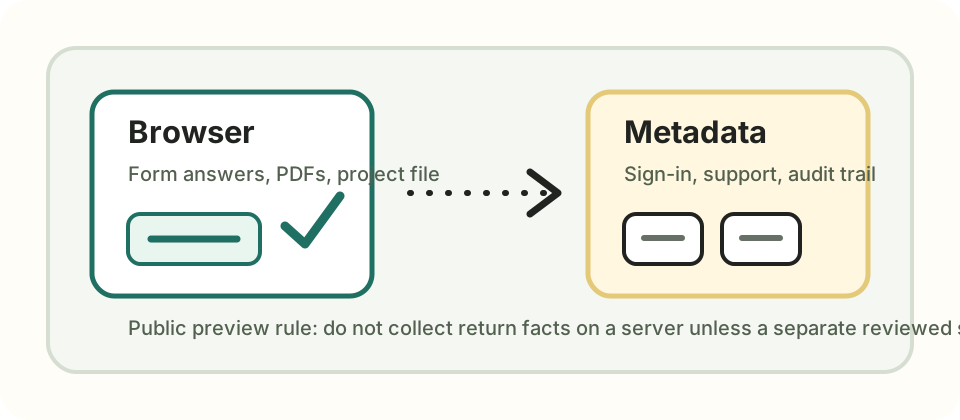
Return answers, generated draft PDFs, encrypted project exports, taxpayer identifiers, addresses, and form-specific facts should stay in the browser-local workflow. If a user downloads a file, that file is on the user's device, not in a Tax Paperwork return database.
What a backend may know
A backend can still be useful, but it should know a different class of facts: sign-in state, access status, support routing, operational audit records, and non-sensitive product metadata. That boundary makes support and observability possible without turning the account system into a tax-return storage system.
What waits for a different review
Professional review, stored projects, address-autocomplete vendors, analytics providers, payments, and electronic transmission all change the privacy and compliance analysis. They may be useful later, but each one needs a reviewed data map, retention policy, vendor boundary, and customer-facing explanation before it belongs in public preview.